
What is Akamai Bot Manager and how to recognise it
Akamai Bot Manager is an edge layer that scores every request to a protected site. An obfuscated same-origin script collects browser and device signals and posts them back to the edge, which then decides whether to allow, limit, challenge or block the traffic. You can recognise it from the response cookies: _abck and bm_sz are the usual pair, often together with ak_bmsc. Response headers such as X-Akamai-Transformed or an akamai-grn marker point at the same edge, and the script that collects the signals is served from a random-looking first-party path that changes between loads.
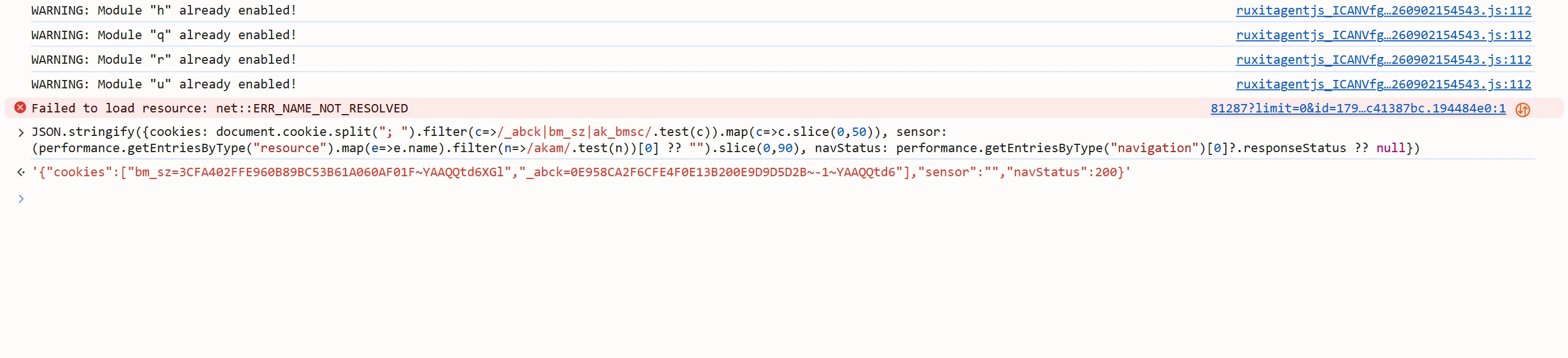
Unlike a widget that sits in a form, this protection has no visible challenge to look for. The page loads, and the cookies in the response carry the state that decides what you are allowed to do next. Protected actions — login, checkout, a product API call — are where a weak or missing state shows up, often as a block page or a repeated challenge rather than a form.
Solving it returns a set of values to replay, not a token to type into a page: a cookies object plus, when the solver reports one, the user agent the values were earned with.
Extension, API or automation?
SurSolver is an HTTP API: you call it from your own code, and there is no browser extension. For this type the API runs the whole handshake for you — you send the page URL and proxy details, and you get the cookies back. Your own client then replays them.
That fits any HTTP client or automation stack: curl or requests for a server-side job, Playwright, Puppeteer or Selenium when a real browser has to carry the session. There is nothing to compute on your side and no script to run in the page.
How to find the parameters
Start from the page whose first load serves the sensor — normally the login, checkout or product page, not the homepage. Send that full URL, including its path and query string.
Confirm the site runs Akamai Bot Manager before you send anything: look at the response cookies for _abck and bm_sz, and at the HTML for that script. Then choose a proxy exit for the solve; residential or mobile exits are the least likely to be scored harshly. When the solution includes a user agent, replay with exactly that value.
Where the cookies go
Set every cookie from the cookies object on a session that uses the same exit IP and the same user agent as the solve, then request the protected page or API from that session. The values are checked against the live connection, so a different IP, user agent or TLS fingerprint is a rejection.
Protected actions can invalidate the state, so when a request is challenged again, solve again rather than reusing an old result. Never mix values from one solve with a session that used a different proxy.
Common mistakes
Replaying the cookies from a different IP is the classic failure: the edge compares the connection against what the values were earned with. The same applies to a user agent that changed between the solve and the replay — a mismatch is a rejection, not a warning. Treating an old cookie jar as a long-lived credential is the third: the validated state does not last, and protected actions consume it.
Datacenter IP ranges are scored harshly by this edge, so a solve that looks correct can still be blocked before the sensor even runs. And do not send this task without proxy details: this type has no proxyless form, so a request without a proxy is rejected before the solve starts.
Solve it with SurSolver
Send the protected page URL and proxy details to createTask with the task type AkamaiCookie, then poll getTaskResult until the status is ready. The solution carries the cookies to replay and, when the solver reports one, the user agent they were earned with; replay with that user agent. The accepted names and parameters are listed by the public catalog (GET /v1/task-types).