
What is MTCaptcha and how to recognise it
MTCaptcha is a commercial CAPTCHA service served from service.mtcaptcha.com. It markets itself as privacy-friendly and compliant with GDPR and WCAG. It runs background risk analysis first, using fingerprints, behavioural signals and risk scores, and only suspicious visitors get a visible text challenge.
You can recognise it by the scripts the page loads: mtcaptcha.min.js from the service.mtcaptcha.com host, and a page configuration object called mtcaptchaConfig. Requests to getchallenge.json on the same host are the other giveaway. The public sitekey has the form MTPublic- followed by a short string.
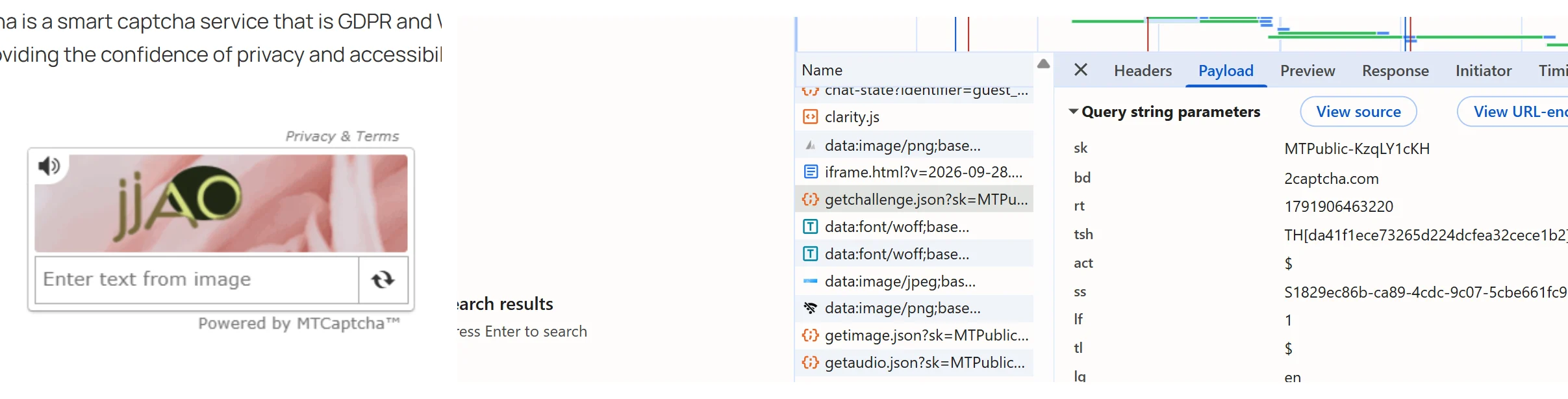
The vendor also sells fully invisible modes, called Low Friction and IP whitelist, where most people never see a widget. On those pages there is no checkbox to look for; you only see the hidden confirmation field and the requests to the service host.
A solved challenge produces a verified token shaped like v1(checksum,customerChecksum,Sitekey,randomSeed,encryptedTokenInfo). The site owner validates it server-side with a secret private key, and each token works once.
Extension, API or automation?
SurSolver is an HTTP API: you call it from your own code, and there is no browser extension. You send the page URL and the sitekey, wait for the task to finish, and receive a token to place in the page yourself.
That fits any HTTP client for a server-side flow, or Playwright, Puppeteer and Selenium when a real browser has to submit the form. The only browser-side step is writing the token into the hidden field, or handing it to the page's own verified callback, before the form is sent.
How to find the parameters
Open the protected page with DevTools on the Network tab and filter for getchallenge.json. The sk query value is the sitekey. The act value is the page action; its default is %24, and you only need to send a page action when the site uses a different one.
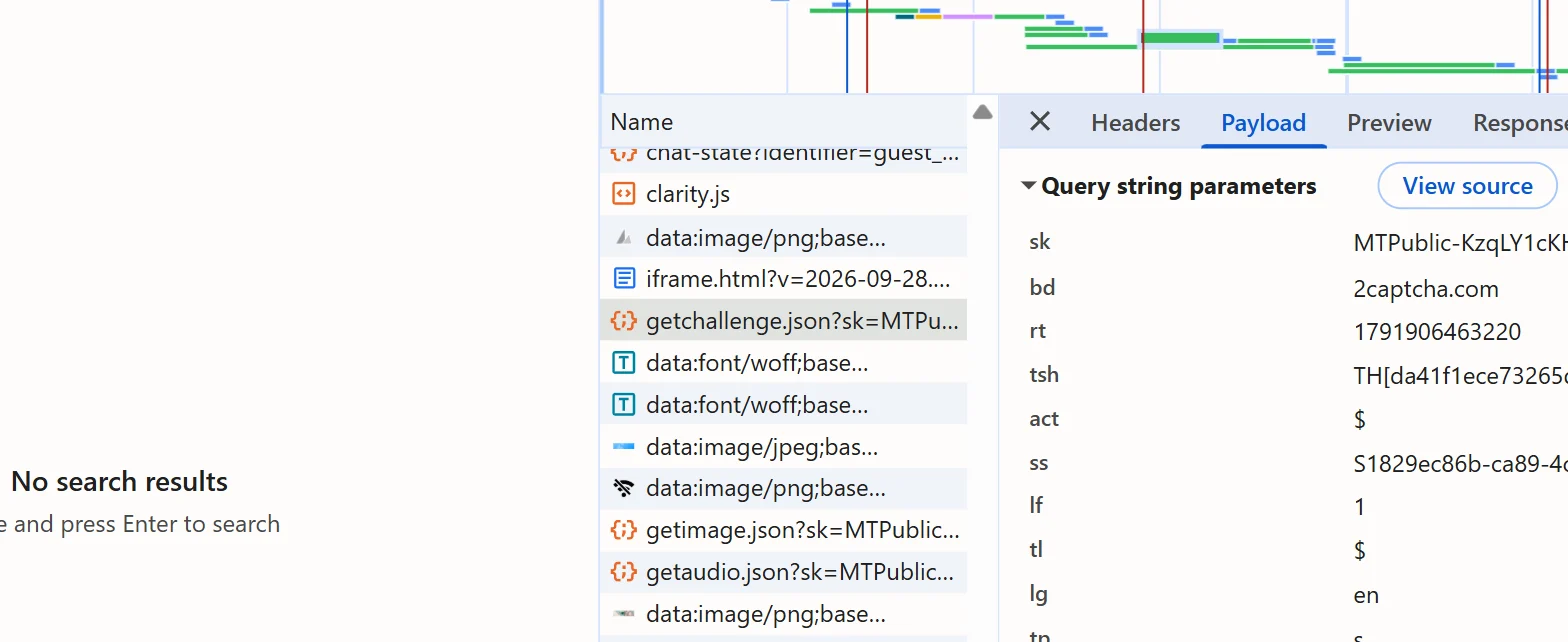
There are two alternatives. In the console, window.mtcaptchaConfig.sitekey or window.mtcaptcha.getConfiguration().sitekey prints the key. In the page source, search for mtcaptchaConfig: it carries the sitekey and, when the site sets one, an action such as login.
The page URL is the exact address of the page that hosts the widget. If the widget is invisible, with no visible checkbox and a token-only flow, mark the task as invisible. A public demo key, MTPublic-DemoKey9M, exists for testing, but real sites use their own key.
Where the token goes
Put the returned token into the hidden form field named mtcaptcha-verifiedtoken, commonly an input whose id looks like mtcaptcha-verifiedtoken-1, then submit the form. The site's own server then checks it against the vendor's token-check call.
If the page reads the token programmatically, the equivalent hooks are mtcaptcha.getVerifiedToken() or the status.verifiedToken value passed to the verified-callback. Whichever route your target uses, the value has to be in place before the request that the site validates.
Common mistakes
Reusing or delaying a token is the most common failure. Tokens are single-use and expire after a few minutes, and the widget only guarantees about 50 seconds of server-side validity. Solve, then submit immediately, and request a new token for every attempt.
Leaving out the page action is the second one. If the site initialised the widget with a custom action such as login, a token issued without it carries a mismatched action and the site's check should reject it. Sending the default action when the site uses the default is harmless but unnecessary.
Tokens are also bound to the hostname and IP they were issued for, so a token solved for one domain fails when it is replayed on another. On invisible widgets, forgetting the invisible flag can lead to mis-solves, because these widgets escalate to a visible check when they become suspicious. Finally, never call the vendor's token-check endpoint from the browser: the private key must stay on the server, and that check belongs to the site owner, not to you.
Solve it with SurSolver
Send the page URL and sitekey to createTask with the task type MtCaptchaTaskProxyLess, or MtCaptchaTask when you want to bring your own proxy, and add the page action and invisible flag when the site needs them. Poll getTaskResult until the status is ready; the solution carries the verified token to place in the hidden field. The accepted names and parameters are listed by the public catalog (GET /v1/task-types).