
What is reCAPTCHA v3 and how to recognise it
reCAPTCHA v3 is Google's invisible, score-based check. There is no checkbox and no image grid. A script observes the visit and, for each protected action, returns a score from 0.0 (very likely a bot) to 1.0 (very likely a human). The site's own server decides what each score means — v3 does not block anyone by itself — and a common pattern is to fall back to a v2 challenge when the score is low.
A page that uses v3 usually loads api.js?render= followed by the site key, and calls grecaptcha.execute with an action name when the visitor submits. The Enterprise edition works the same way but loads enterprise.js and calls grecaptcha.enterprise.execute; its requests go to /enterprise/anchor instead of /api2/anchor.
The solve returns a token as gRecaptchaResponse. It is single-use and valid for about two minutes — reportedly a shorter window than a v2 token — and the action it was made for is embedded in it.
Extension, API or automation?
There is no browser extension: SurSolver is an HTTP API that you call from your own code with createTask and getTaskResult.
For v3 nothing is visible on the page, so a plain HTTP client is often enough: request the token, then send it as the g-recaptcha-response field of the request the page would have made. A Playwright, Puppeteer or Selenium script is only needed when the page itself must run a callback.
How to find the reCAPTCHA v3 parameters
The site key is in the page's script URL (api.js?render=KEY), in the first argument of grecaptcha.execute('KEY', ...), in a data-sitekey attribute, or as the k parameter of the anchor request in the Network tab.

The action is the part that people miss. Open DevTools, press Ctrl+Shift+F and search for grecaptcha.execute: the value of action in the second argument (login, submit, register and so on) is your pageAction. If the call is buried in minified code, wrap window.grecaptcha.execute in the console before you trigger the protected action and log its arguments: the logged action is the one to send. Guessing the action is the main reason v3 solves fail, so find it first.
On an Enterprise page, search the inline scripts for grecaptcha.enterprise.render: extra fields such as s go in enterprisePayload and expire quickly, so copy them right before creating the task. The page URL is the full address of the page that runs the check.
Where the token goes
Send the token where the page would send its own: usually the g-recaptcha-response field of the form or the POST body of the protected request. Some pages use a suffixed field name, such as g-recaptcha-response-100000, so submit the form manually once with DevTools open and copy the exact field name from the Network tab. Other pages read the token from the hidden g-recaptcha-response textarea or pass it to a callback function.
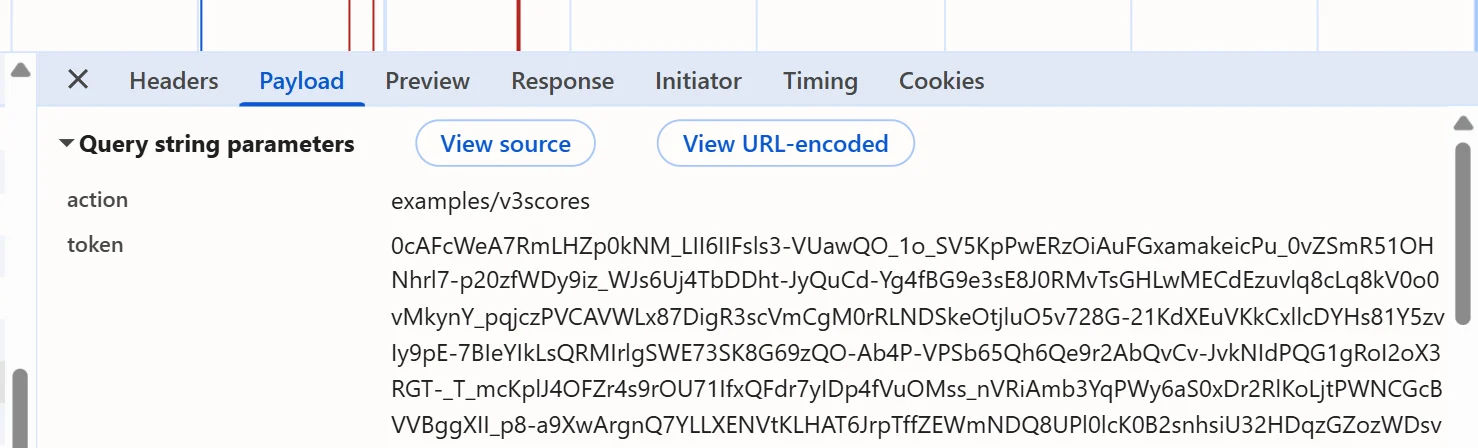
Use the user agent from the solution for the submission when one is reported. The token is single-use and short-lived, so submit it as soon as it arrives. The site then verifies the token with Google and reads the score, the action and the hostname from the verification response.
Common mistakes
The biggest one is an action mismatch. pageAction must equal what the page passes to grecaptcha.execute, character for character; a token made for a different action is rejected even if its score is high. The second is the site's own score threshold: the site decides what score is good enough, and a token that falls short is rejected even though it verifies with Google.
IP reputation is reported to affect scores — datacenter and VPN addresses tend to score lower — which matters when you choose the proxy variant. If you use your own proxy and it authenticates by IP address, that IP has to be whitelisted with your proxy provider first. The proxyless task name is the default and is usually enough.
The remaining mistakes are about the page. A token that is older than about two minutes or already used is rejected as timeout-or-duplicate. A stale enterprisePayload.s fails the solve. And an invisible v2 widget looks almost identical to v3, so confirm which one the page runs: userverify requests with the key appear only for invisible v2.
Solve it with SurSolver
Send the page URL, the site key and the action as pageAction to createTask with the task type ReCaptchaV3TaskProxyLess (or ReCaptchaV3Task to solve through your own proxy). For Enterprise pages use ReCaptchaV3EnterpriseTaskProxyLess or ReCaptchaV3EnterpriseTask. Poll getTaskResult until the status is ready; the solution carries gRecaptchaResponse and, when the solver reports one, the userAgent. The accepted names and parameters are listed by the public catalog (GET /v1/task-types).