
What is Cloudflare Turnstile and how to recognise it
Turnstile is a challenge a site embeds in its own page — a login, signup or checkout form — instead of an image puzzle. Verification is usually silent, and depending on the mode the site configured (managed, non-interactive or invisible) it may show a single checkbox. A page that renders Turnstile usually contains a cf-turnstile element and loads the Turnstile script from challenges.cloudflare.com/turnstile/v0/api.js.
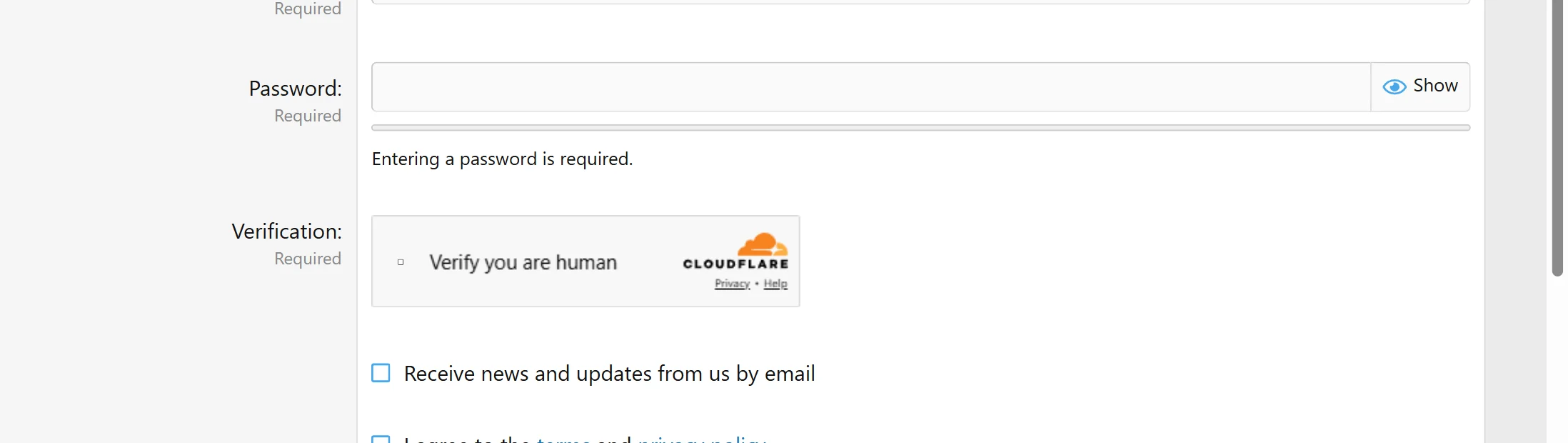
Do not confuse it with a Cloudflare challenge page. The element lives on a page that loads normally; a challenge page is the full-page interstitial served instead of the page you asked for, and it takes different inputs and returns a different result. If the first request comes back with HTTP 403 and a page that only says "Just a moment…", you are looking at a challenge page, not this element.
Solving Turnstile returns a token of up to 2048 characters. The token is single-use and expires after about five minutes, so it is meant to be used immediately in the request you are about to send.
Extension, API or automation?
SurSolver is an HTTP API: you call it from your own code. There is no browser extension, and nothing to install in the browser you are automating. That makes the API usable from three places, all with the same two calls (createTask then getTaskResult): a plain HTTP client such as curl or requests, a browser-automation script in Playwright, Puppeteer or Selenium, or your own server-side job that submits the token for a form.
An automation script is the common choice for Turnstile, because the token has to be placed back into the page you are driving. The API never touches the target site itself: your script collects the parameters, the API computes the token, and your script submits it.
How to find the Turnstile sitekey
Open the page in a browser and inspect the element that renders the challenge. The sitekey is the data-sitekey attribute of the cf-turnstile element, or the sitekey argument of the turnstile.render(...) call when the page renders it from JavaScript. Sitekeys always start with 0x.
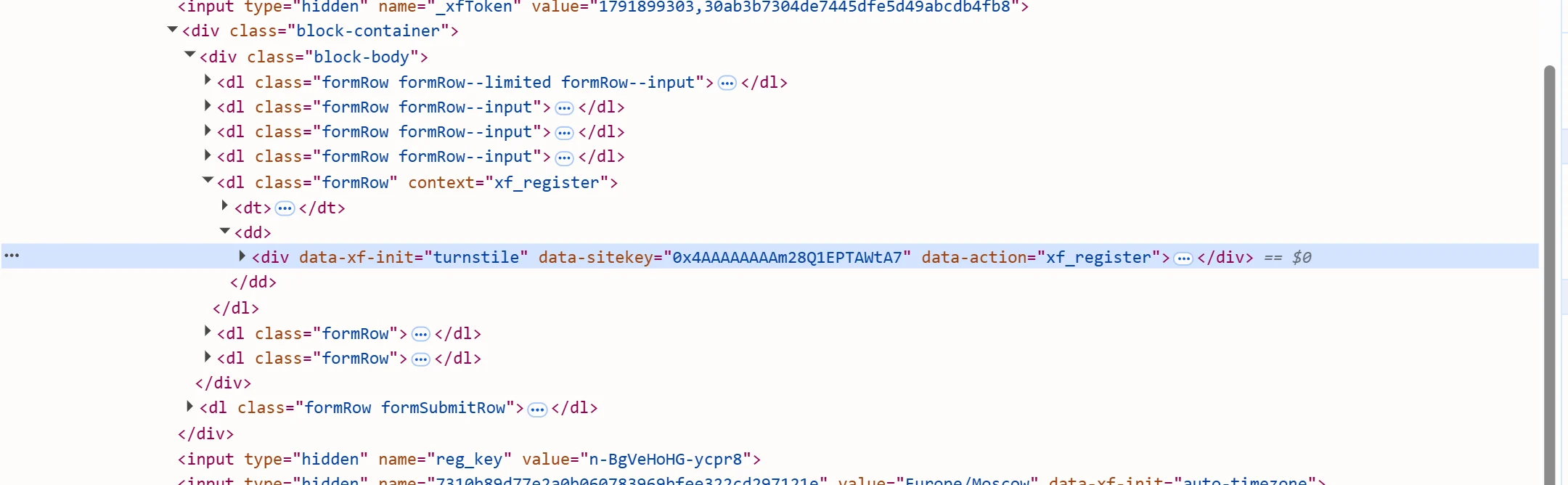
If the same element carries data-action or data-cdata, copy those values exactly as they appear — they are optional, and a verifier that checks them rejects a token that was solved for a different value. When the page renders the challenge from JavaScript, the same values are the action and cData arguments of turnstile.render. A challenge page additionally exposes chlPageData; only send it in that case.
The page URL you send must be the page that renders the element, including its path — not the site root.
Where the token goes
Place the returned token in the page and submit the form. Most sites use a hidden input named cf-turnstile-response; a site that enabled reCAPTCHA-compatibility mode uses g-recaptcha-response instead. Some pages never create the field and instead pass a callback to turnstile.render: in that case invoke the callback with the token.
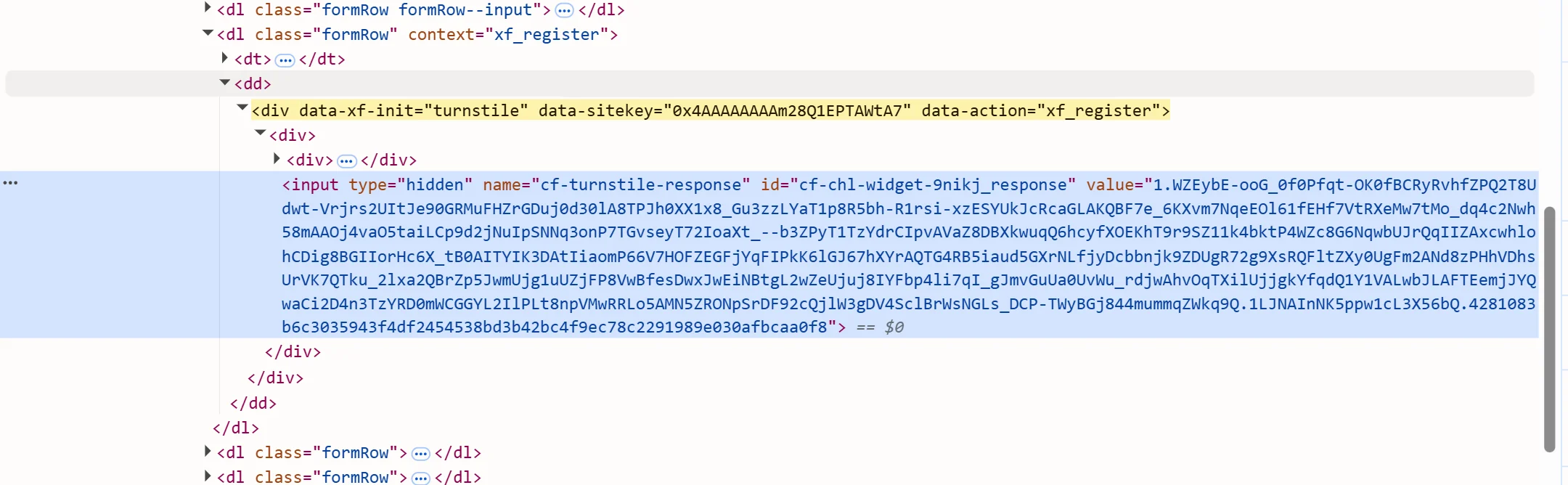
In a browser-automation script, set the field with page.evaluate() or the equivalent DOM call and then submit. When the solver reports a user agent with the solution, use it for the submission session. Submit promptly: the token is single-use.
Common mistakes
The most common failure is solving a challenge page with the Turnstile task: the two are different products with different inputs and outputs. The second is sending a guessed action or cData — a verifier that checks them rejects the token, and guessing is worse than omitting the field. A token that was already submitted, or one that sat unused for more than a few minutes, comes back as timeout-or-duplicate from the site's own verification.
Invisible mode is easy to misread: the page shows no checkbox, so a form that fails silently usually means the token field was empty when the submit ran. Check that the field is populated before submitting, and check the submit path — a redirect or a retry can redeem the token twice.
Pooling or pre-solving tokens does not work for Turnstile. Solve inline, with the same parameters the page declares, and send the result immediately. A proxy is only relevant when the site rejects an otherwise valid token while a manual flow works — that means the site binds the token to the IP, and the solve and the submission must use the same static exit.
Solve it with SurSolver
Send the page URL and the sitekey to createTask with the task type TurnstileTokenProxyLess (or TurnstileToken when you want to solve through your own proxy), then poll getTaskResult until the status is ready. The solution carries the token and, when the solver reports one, the user agent it was earned with. Both calls are plain HTTP with a JSON body — the accepted names and parameters are listed by the public catalog (GET /v1/task-types).