
A solve returns ready and the site still rejects the form. In most cases the token was correct and went to the wrong place, or the page never noticed it. This post covers the three places a solution can go, how to tell which one a page uses, and how to trigger the submit afterwards.
Three places a solution goes
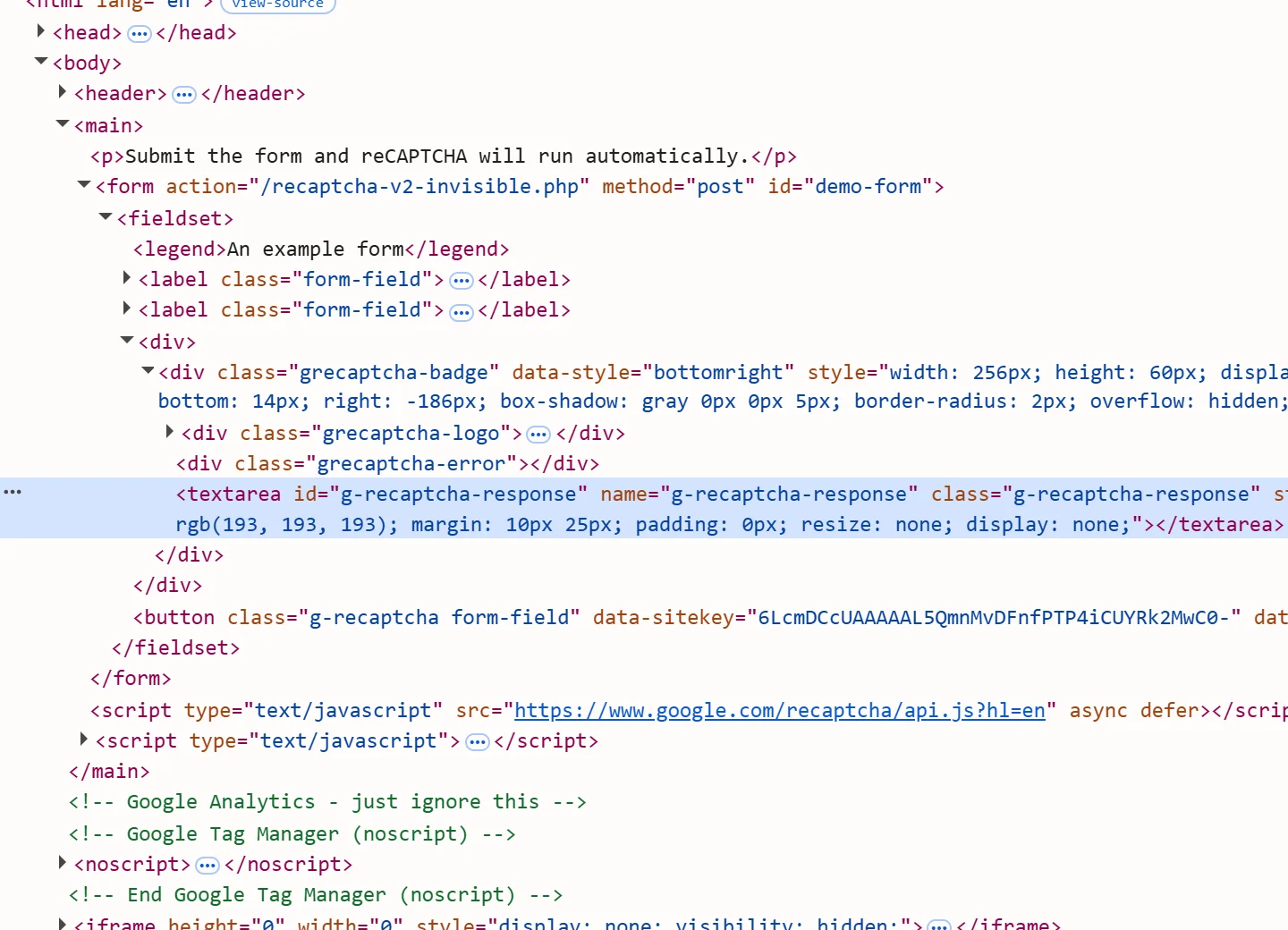
A token-type captcha hands the page a one-time string. The page then reads it in one of two ways:
- A hidden form field. The widget writes the token into an
<input>or<textarea>inside the form, and the normal submit sends it. - A JavaScript callback. The page registers a function, and the widget calls it with the token. The function decides what happens next: it may fill a field, send an XHR request or submit the form.
Cookie-type protections work differently. Cloudflare's challenge page, DataDome, Akamai and PerimeterX do not put a token into a form. Their result is a set of cookies that your client sends on the following requests.
Which of the three applies depends on the page, not only on the captcha vendor. The same widget can be wired to a field on one site and to a callback on another.
Field names by type
| Type | Field the page reads | Notes |
|---|---|---|
| reCAPTCHA v2 | g-recaptcha-response (textarea) |
Solution key gRecaptchaResponse |
| reCAPTCHA v3 | g-recaptcha-response, sometimes with a suffix such as g-recaptcha-response-100000 |
Read the real name from the page |
| Cloudflare Turnstile | cf-turnstile-response |
g-recaptcha-response when the site runs Turnstile in reCAPTCHA-compatibility mode |
| Friendly Captcha | frc-captcha-solution (v1), frc-captcha-response (v2) |
data-solution-field-name can rename it |
| Altcha | altcha |
The widget's name attribute can rename it |
| Prosopo | procaptcha-response |
|
| CaptchaFox | cf-captcha-response |
|
| MTCaptcha | mtcaptcha-verifiedtoken |
Often with the id mtcaptcha-verifiedtoken-1 |
| GeeTest v3 | geetest_challenge, geetest_validate, geetest_seccode |
Three values, not one |
The solution keys for each type, such as token or gRecaptchaResponse, are listed in the public catalog (GET /v1/task-types). The field names come from the vendors' widgets, so confirm them on the page you are working with.
Find out whether the page uses a callback
Open the page source and the widget's container element. These attributes and calls mean the page expects a callback:
- reCAPTCHA: a
data-callbackattribute on the.g-recaptchaelement, or acallbackoption passed togrecaptcha.render. - Turnstile: a
data-callbackattribute, or acallbackoption passed toturnstile.render. - Friendly Captcha: a
data-callbackattribute. - MTCaptcha: a
verified-callbackin the widget configuration.
When the attribute holds a plain name such as onVerified, the function is a global: window.onVerified(token) calls it. When it holds a path such as app.onVerified, use that exact expression.
When there is no field that the submit reads, and no attribute either, the callback is anonymous: the page passed a function to render() directly. Search the page's scripts for render( and read what is passed as callback.
Capture an anonymous callback
For reCAPTCHA, the widget keeps its configuration in an internal object, window.___grecaptcha_cfg. Third-party tutorials show a fixed path into it that ends in .callback, but the path changes between versions, so find it on the live page instead of copying one.
For Turnstile, the more reliable method is to capture the options before the widget renders: replace turnstile.render with a wrapper that records its arguments and then calls the original. The wrapper has to be installed before the page's own script calls render, which in Playwright means an init script.
// Runs before any page script: records the options of every turnstile.render call.
const CAPTURE_TURNSTILE = `
  (() => {
    let real;
    Object.defineProperty(window, 'turnstile', {
      configurable: true,
      get() { return real; },
      set(value) {
        const render = value.render.bind(value);
        value.render = (container, options) => {
          window.__turnstileOptions = options;
          return render(container, options);
        };
        real = value;
      },
    });
  })();
`;

await context.addInitScript(CAPTURE_TURNSTILE);After the widget renders, window.__turnstileOptions holds the site key, the action and cData values when the widget declares them, and the callback function. You send the parameters to the API and pass the token to window.__turnstileOptions.callback(token). This pattern works for pages that load the widget script themselves; if a page assigns the global in a different way, inspect its script and adapt the hook.
Fill the field, call the callback, then submit
Writing to a hidden field does not fire the events a widget fires, and calling a callback does not always submit. Three rules cover most pages:
- Fill the field and call the callback when both exist. The field is what a form post sends; the callback is what the page's own code waits for.
- Submit only when nothing else does. A callback often submits or navigates by itself. Clicking submit as well can send the form twice, and the second request carries a token that has already been used.
- Submit right away. Tokens are single-use and short-lived: about two minutes for reCAPTCHA and about five for Turnstile, according to the vendors' documentation. A late or repeated submission typically comes back as
timeout-or-duplicatefrom the site's verification.
This Playwright helper applies a token to a page that uses either a field or a named callback:
async function applyToken(page, { fieldName, callbackName, token }) {
  return page.evaluate(
    ({ field, callback, value }) => {
      const input = document.querySelector(`[name="${field}"]`);
      if (input) input.value = value;
      if (callback && typeof window[callback] === 'function') {
        window[callback](value);
        return 'callback';
      }
      return input ? 'field' : 'none';
    },
    { field: fieldName, callback: callbackName, value: token },
  );
}

// 'field' means nothing has submitted yet: click the form's submit button.
const applied = await applyToken(page, {
  fieldName: 'cf-turnstile-response',
  callbackName: null,
  token: solution.token,
});
if (applied === 'field') await page.locator('form button[type="submit"]').click();
if (applied === 'none') throw new Error('no field or callback found for the token');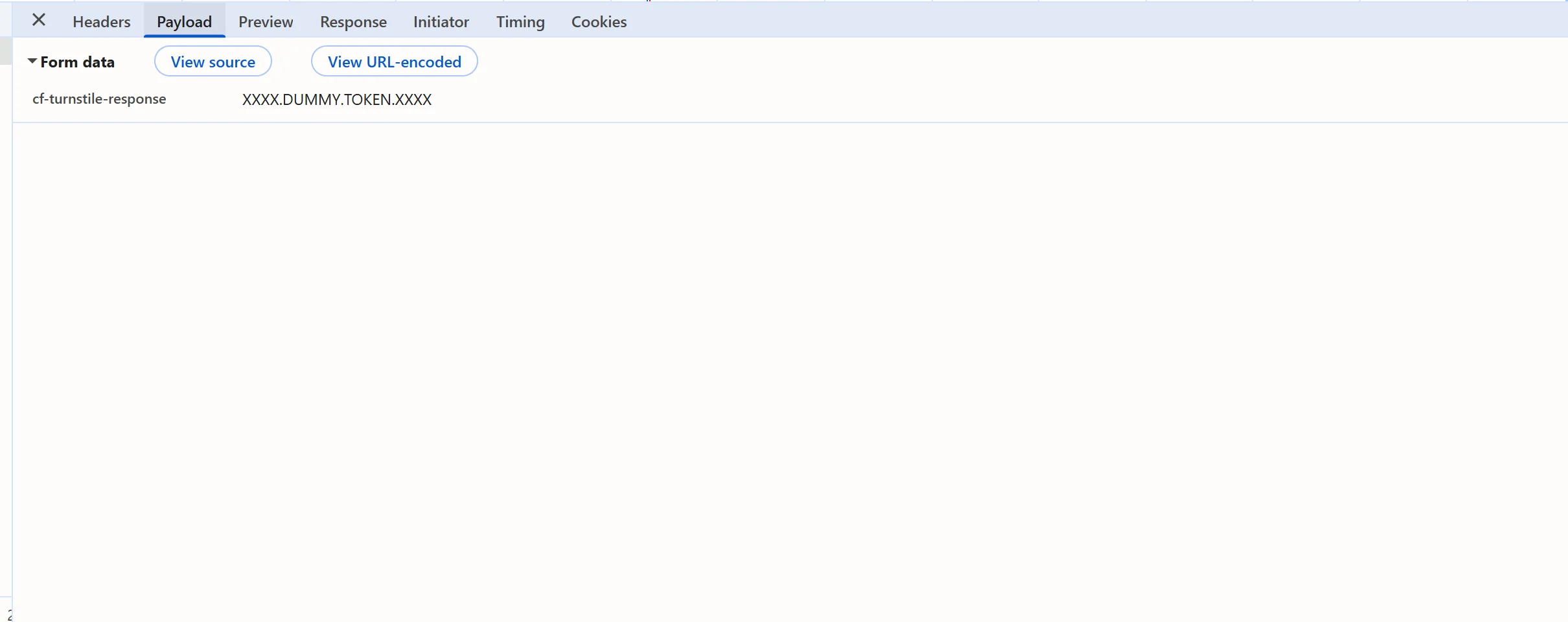
Submit without a browser
Many forms post ordinary form data. Then you do not need a browser at all: read the form's fields, add the token under the field name the page uses, and post it with the same client that loaded the page.
const form = new URLSearchParams({
  email: 'user@example.com',
  password: 'correct-horse-battery',
  'g-recaptcha-response': solution.gRecaptchaResponse,
});

const res = await fetch('https://example.com/login', {
  method: 'POST',
  headers: {
    'Content-Type': 'application/x-www-form-urlencoded',
    ...(solution.userAgent ? { 'User-Agent': solution.userAgent } : {}),
  },
  body: form,
});
console.log(res.status);Pages that submit through their own XHR call send the token in a JSON body or a header instead. Copy that request from the Network panel and replace only the token value. userAgent appears in a solution only when the solver reports one; when it does, send it, so the request looks like the browser that earned the token.
Cookie results
For the cookie types, the solution's cookies key is a list of objects with name and value, plus domain and path when the solver reports them. Set every entry, not only the one you know, on a client that uses the same proxy and the same user agent as the solve:
await context.addCookies(
  solution.cookies.map((cookie) => ({
    name: cookie.name,
    value: cookie.value,
    domain: cookie.domain ?? 'www.example.com',
    path: cookie.path ?? '/',
  })),
);These cookies are bound to the exit IP and the browser that earned them, so a replay from another address or with another user agent is refused. Browser headers and user agents covers what else has to match, and the Cloudflare Challenge guide shows a full cookie flow.
Common failures
- The token went into the wrong field. reCAPTCHA v3 field names can carry a suffix, and Turnstile can run in reCAPTCHA-compatibility mode. Read the name from the page.
- A callback page got only the field. The page waits for its callback and never submits, or submits without running its own checks.
- Two submissions. The callback submitted and the script clicked submit too; the second request reuses the token.
- A stale token. It was solved before the page was ready, or held for later.
- Only one cookie replayed. The protection checks the whole set.
Next steps
Identify the type first with how to identify any captcha and extract its parameters, then create the task and poll getTaskResult every 3 seconds as the quickstart shows. For a complete browser flow, the Playwright recipe puts these pieces together for reCAPTCHA v2.