
What a text captcha is, and when an image to text API is the answer
Thousands of sites still guard their forms with the classic text captcha: four to six distorted characters over a noisy background, served as a plain image. The challenge is nothing but an <img> tag, and the user types what they read.
Generic OCR handles these poorly, because every generator distorts differently: different fonts, wave patterns, strike-through lines and colour noise. SurSolver uses a module-based image to text solver: choose the module whose sample images match your captcha. The answer comes back as a plain string, with no browser user agent or proxy required. Keep the original browser session and submit before the site refreshes or expires the challenge.
An OCR captcha solver tuned per generator
Off-the-shelf OCR captcha reading fails on these images for a simple reason: a generic engine guesses at characters, while the distortion is systematic. Wave the baseline, strike a line through the word, print the letters in a font no document ever uses — each generator does it the same way every time, and a model trained on that exact distortion reads through it.
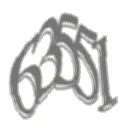
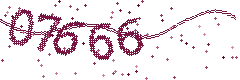
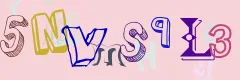
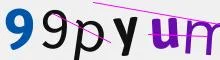
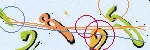
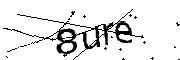
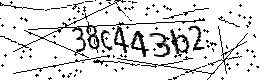
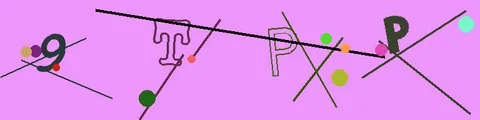
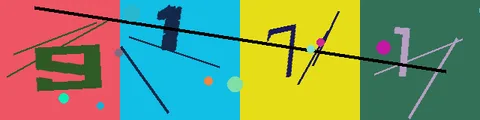
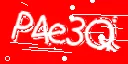
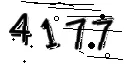
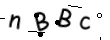
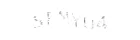
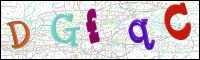
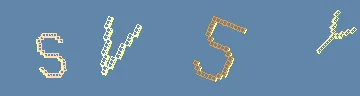
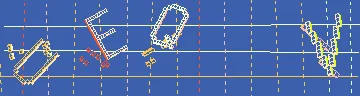
That is what the module parameter buys. Each module is an OCR model trained on one generator's output, so the characters come back as text — case included — instead of a best guess. You pick the module once by matching your target's image against the samples below, and every later solve for that site uses the same id.
Supported modules and their ids
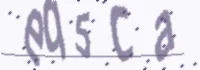
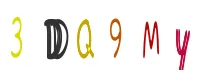
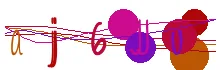
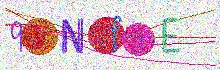
The module parameter is a numeric string without leading zeros, for example "1". Match your captcha against these samples; availability depends on the active modules.
| Module | Example images |
|---|---|
1 |
  |
2 |
   |
3 |
 |
4 |
  |
5 |
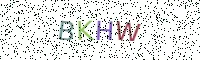 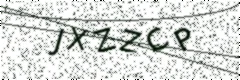 |
6 |
 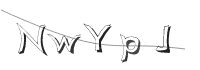 |
7 |
 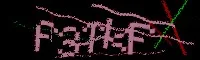  |
8 |
 |
9 |
   |
10 |
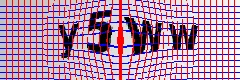 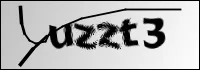 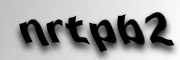 |
11 |
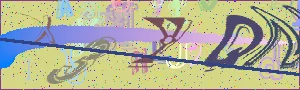 |
13 |
   |
14 |
  |
16 |
  |
17 |
   |
18 |
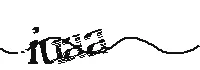 |
19 |
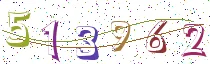 |
20 |
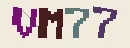  |
21 |
 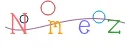  |
22 |
  |
23 |
 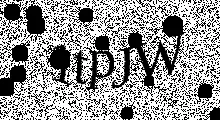 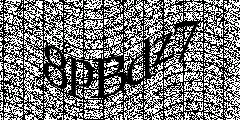 |
24 |
 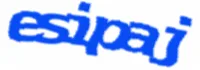  |
25 |
  |
26 |
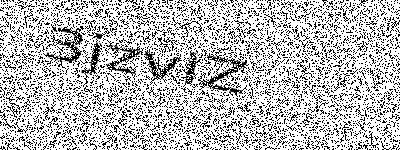 |
27 |
  |
28 |
   |
29 |
  |
30 |
  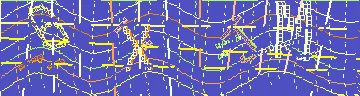 |
31 |
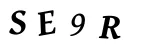 |
32 |
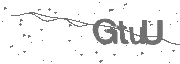  |
33 |
 |
34 |
 |
35 |
 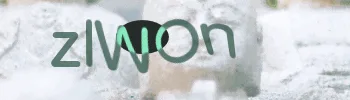 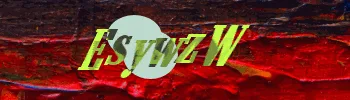 |
36 |
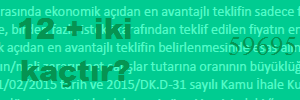 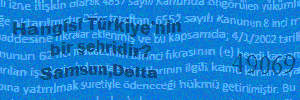 |
For module: "36", solution.answer combines the answer to the question and the five-digit code, separated by a space, for example 14 59695. Send the complete original image.
Solving a WordPress captcha, and other common targets
The same three steps cover every text-captcha target; only the page around the image changes.
- A WordPress captcha. WordPress sites put the distorted image on the login form or a contact form plugin. Open the page, copy the captcha image's address (or read the
<img>element'ssrc), fetch those exact bytes, and send them asbodywith the module whose sample matches. The answer goes into the captcha input next to the image — submit the form in the same session. - A PHP or CMS contact form. Same flow: the form holds an
<img>and one input. The image is the task; the input getssolution.answer. - A forum or wiki registration page. These refresh the image on every load, so capture, solve and submit in one pass without re-requesting the image.
Match the module by what the image looks like — font, wave, noise — not by the software that serves it. If nothing in the table matches, send support a sample image and the target URL.
How to send a task
Create the task with the image the captcha endpoint returned and the module id from the table, then poll getTaskResult. The solution is a plain string:
{
  "clientKey": "sur_xxxxxxxxxxxxxxxxxxxxxxxxxxxxxxxx",
  "task": {
    "type": "ImageToTextTask",
    "module": "7",
    "body": "iVBORw0KGgoAAAANSUhEUgAA..."
  }
}{
"errorId": 0,
"status": "ready",
"solution": {
"answer": "fp4nnd"
}
}body is the raw base64 of one captcha image, without a data: prefix or whitespace, up to 524,288 characters (384 KiB of decoded bytes). The answer is the text exactly as the model reads it, characters and case included. Submit it using the form's own case rules.
Common mistakes
- A scaled screenshot instead of the source image. The model is trained on the image the captcha endpoint serves. A retina capture, a zoomed page or a cropped screenshot changes the metrics and hurts the answer rate. Read the image bytes from the element's source, or capture the element box at device scale 1.
- A
data:prefix on the base64 string. Send raw base64 only. - Solving a captcha that has already refreshed. Many generators serve a new image every time the endpoint is hit and accept only the latest one. Capture, solve and submit without re-requesting the image in between.
- The wrong module id. The model is per-generator: a model trained on a different distortion reads the right characters with the wrong shapes. Check the font and the noise pattern of your target against the table, or send support a sample.
- Case mismatch on submission. The answer arrives in the case the model reads. Most generators compare case-insensitively; if yours does not, convert before submitting.
Solve it with SurSolver
The task type is ImageToTextTask with the module and body fields above; poll getTaskResult until the status is ready and read solution.answer. The accepted names and parameters are listed by the public catalog (GET /v1/task-types). For the full browser walkthrough — capturing the image with Playwright and submitting the answer — see the Image to Text guide.
If your target is an MTCaptcha widget with a sitekey and a token flow instead of a bare text image, that is the MTCaptcha solver — a different task type with its own parameters.