
"Cloudflare is blocking my script" can mean four different things, and each one needs a different solver task. This guide shows how to tell them apart from a response, which one you need to solve, and what to do with the result.
The four Cloudflare checks
| Check | What you see | Markers | What you end up with |
|---|---|---|---|
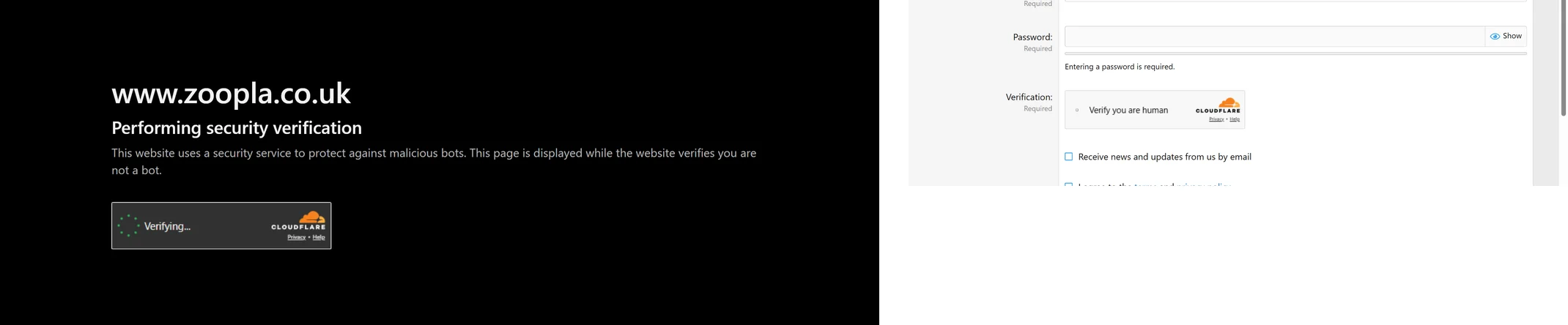
| Turnstile widget | A normal page with a form and a small widget | HTTP 200, a cf-turnstile element or turnstile.render(), api.js from challenges.cloudflare.com/turnstile/ |
A token for cf-turnstile-response |
| Challenge page | A full page saying "Just a moment…", instead of the page you asked for | HTTP 403, window._cf_chl_opt, a challenge-form whose action contains __cf_chl_f_tk= |
A cf_clearance cookie |
| Waiting Room | A queue page, "You are now in line" | Title contains "Waiting Room powered by Cloudflare" | Admission cookies, once your turn comes |
| JSD | Nothing at all | Requests to challenge-platform, window['__CF$cv$params'] |
A cf_clearance cookie, set quietly |
Everything above except the first row is a page-level check: it decides whether you get the page at all. Turnstile is a component inside a page that already loaded.
Identify which one you have
Fetch the URL your script is blocked on and look at the status code and the markup. The markers are the ones from the table. They come from provider documentation, so treat the result as a hint and confirm in DevTools when it matters.
import requests

REQUEST_TIMEOUT_SECONDS = 30
HTTP_FORBIDDEN = 403


def classify(status, html):
    if 'Waiting Room powered by Cloudflare' in html:
        return 'waiting-room'
    if status == HTTP_FORBIDDEN and ('_cf_chl_opt' in html or 'Just a moment' in html):
        return 'challenge-page'
    if 'cf-turnstile' in html or 'challenges.cloudflare.com/turnstile/' in html:
        return 'turnstile'
    if '__CF$cv$params' in html:
        return 'jsd'
    return 'none-detected'


res = requests.get('https://example.com/protected', timeout=REQUEST_TIMEOUT_SECONDS)
print(res.status_code, classify(res.status_code, res.text))The order matters, because a queue page or a challenge page can contain a Turnstile widget of its own. Whatever your own client receives is what counts, and it is also the page you would pass as html.
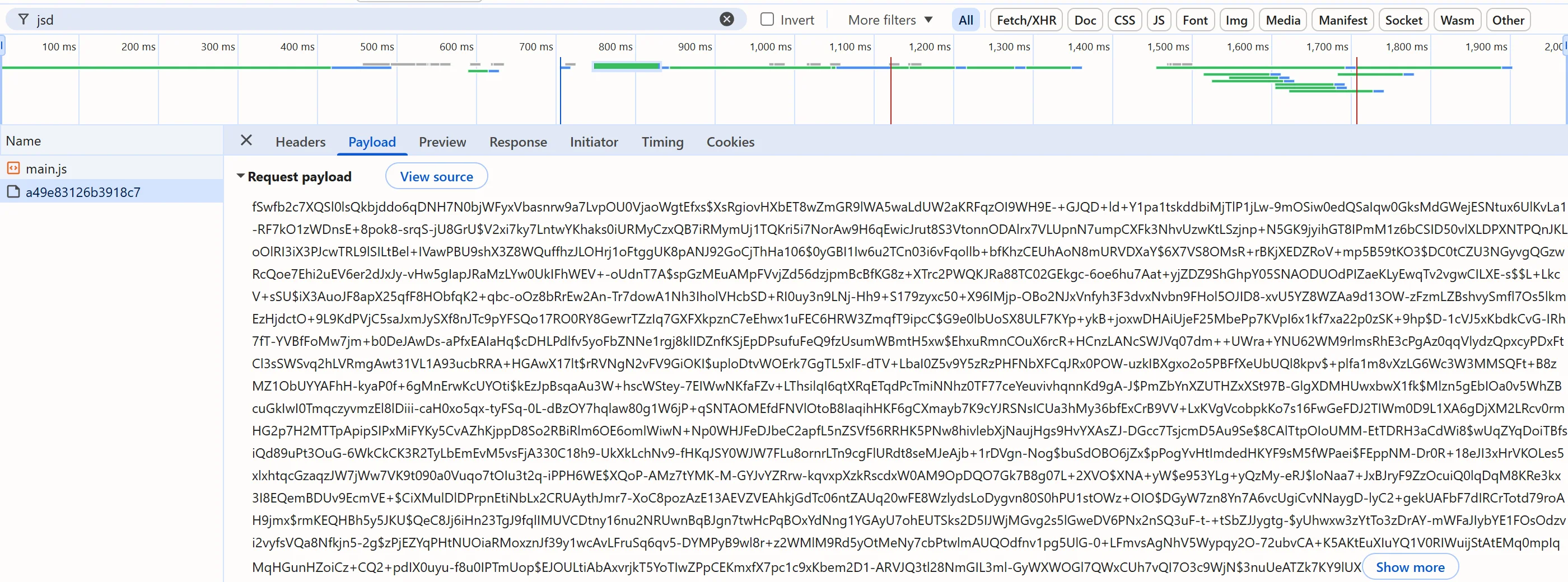
Two more checks help. In DevTools, window._cf_chl_opt.cType on a challenge page tells you the subtype: managed clears itself after scripted checks, interactive shows a "Verify you are human" checkbox and may take several rounds, and the third value is non-interactive. A JSD check is easiest to see in the Network panel: filter by challenge-platform and look for a POST to a /cdn-cgi/challenge-platform/h/g/jsd/oneshot/ URL whose response sets cf_clearance.
Turnstile: a token for a form
If the page loads normally and a form carries a widget, you need a Turnstile token, not a cookie. Send websiteURL and websiteKey with the task type TurnstileTokenProxyLess, and put the returned token into the cf-turnstile-response field or the page's callback. Finding the sitekey, the action and cData is covered in the Turnstile guide, and the shorter Turnstile solver page has the checklist.
Challenge page: a cookie for the whole origin
A challenge page is served instead of your page, so there is no form to put a token into. The useful result is the cf_clearance cookie, often paired with __cf_bm; with it, requests to the same origin are served normally until it expires or is revoked. Reports put the lifetime between about half an hour and a few hours, and Cloudflare can revoke it earlier when your traffic pattern changes.
The cookie is bound to the IP and the user agent that earned it. That is why the SurSolver task type for this check, AntiCloudflareTask (alias CloudflareChallengeCookie), requires a proxy and has no proxyless form. Its parameters are:
| Field | Required | What it is |
|---|---|---|
websiteURL |
yes | The route that returns the challenge, not the site root; challenges apply per route |
proxy |
yes | A static or sticky proxy, kept for at least about three minutes |
userAgent |
no | Optional; the docs do not say whether the solve uses it, so replay with the userAgent the result returns |
html |
no | The raw interstitial as your client received it, not base64; capture it fresh for each attempt |
The solution can carry cookies, token and userAgent. Which of them you get depends on what the solver produced, so read them defensively and replay the whole cookie jar, not just cf_clearance. If a solve reports that no challenge is present, you sent the wrong route.
Waiting Room: a queue, not a bot check
A waiting room admits visitors in turn. How long you wait is decided by the site: other providers document tasks that last as long as the queue, and say that aggressive retries restart your position. The html they ask for must be the queue page currently holding the visitor, and a copy from an earlier visit describes a position that no longer exists.
The SurSolver catalog (GET /v1/task-types) lists AntiCloudflareTask and TurnstileToken for Cloudflare and has no separate waiting-room type. The documentation does not say whether AntiCloudflareTask handles a waiting room, so do not build on it without asking support first.
JSD: the check you do not see
JSD is a script injected into a page that fingerprints the browser and posts the result to the challenge-platform endpoint, whose response sets cf_clearance. There is nothing to click, so the only symptom may be a blocked request later. The same applies here: the SurSolver catalog has no separate JSD type, and the docs do not state whether AntiCloudflareTask covers it.
Solve a challenge page
Send the challenged route and your proxy to createTask, poll getTaskResult every 3 seconds, and replay the result through the same proxy. The replay needs a client with a browser-accurate TLS fingerprint, because a plain HTTP library may be refused even with a valid cookie; this example uses Playwright, which is the simplest way to get one.
import { chromium } from 'playwright';

const API = 'https://api.sursolver.com';
const API_KEY = process.env.SURSOLVER_KEY;
const TARGET_URL = 'https://example.com/protected';
const USER_AGENT = process.env.BROWSER_USER_AGENT; // the Chrome user agent you browse with
const PROXY = { host: '203.0.113.10', port: 8000, login: 'user', password: 'password' };
const POLL_MS = 3000;
const DEADLINE_MS = 180000;

async function call(path, body) {
  const res = await fetch(`${API}${path}`, {
    method: 'POST',
    headers: { 'content-type': 'application/json' },
    body: JSON.stringify(body),
  });
  if (!res.ok) throw new Error(`HTTP ${res.status} from ${path}`); // 500 has no errorId
  const data = await res.json();
  if (data.errorId) throw new Error(`${data.errorCode}: ${data.errorDescription}`);
  return data;
}

async function solveChallenge() {
  const created = await call('/createTask', {
    clientKey: API_KEY,
    task: {
      type: 'AntiCloudflareTask',
      websiteURL: TARGET_URL,
      userAgent: USER_AGENT,
      proxyType: 'http',
      proxyAddress: PROXY.host,
      proxyPort: PROXY.port,
      proxyLogin: PROXY.login,
      proxyPassword: PROXY.password,
    },
  });
  const deadline = Date.now() + DEADLINE_MS;
  while (Date.now() < deadline) {
    await new Promise((resolve) => setTimeout(resolve, POLL_MS));
    const result = await call('/getTaskResult', { clientKey: API_KEY, taskId: created.taskId });
    if (result.status === 'ready') return result.solution;
  }
  throw new Error(`task ${created.taskId} still processing after ${DEADLINE_MS / 1000}s`);
}

function toPlaywrightCookies(cookies, url) {
  const list = Array.isArray(cookies)
    ? cookies
    : Object.entries(cookies ?? {}).map(([name, value]) => ({ name, value }));
  return list.map((cookie) => ({ name: cookie.name, value: cookie.value, url }));
}

const solution = await solveChallenge();
const browser = await chromium.launch({
  proxy: {
    server: `http://${PROXY.host}:${PROXY.port}`,
    username: PROXY.login,
    password: PROXY.password,
  },
});
const context = await browser.newContext({ userAgent: solution.userAgent ?? USER_AGENT });
await context.addCookies(toPlaywrightCookies(solution.cookies, TARGET_URL));
const page = await context.newPage();
const response = await page.goto(TARGET_URL);
console.log(response?.status(), await page.title());
await browser.close();The docs list cookies as a result key without fixing its shape, so toPlaywrightCookies accepts both a name-to-value object and a list. The proxy in the task and the proxy of the browser are the same one; changing either the IP or the user agent makes Cloudflare treat you as cookieless again.
A task is charged when createTask accepts it, and a failed solve automatically returns its original charge once, so check the proxy before you retry. If a solve fails, the proxy IP may be blocked, and a different proxy is the fix rather than different parameters. See the proxies guide for formats; a four-part proxy string is always read as user:password:host:port.
Which task to send
- The page loads, with a widget in a form:
TurnstileTokenProxyLess. - The first request returns 403 and "Just a moment…":
AntiCloudflareTask, with a static proxy. - A queue page, or a silent JSD check: no dedicated SurSolver type; ask support before relying on
AntiCloudflareTask. - A Turnstile widget running inside a challenge page: other providers describe sending its sitekey,
action,cDataandchlPageDataas a Turnstile task, then calling the page's callback in a browser and readingcf_clearanceafterwards. SurSolver's Turnstile task acceptschlPageData, but does not document this flow end to end, so test it before you depend on it.
Common failures
- The wrong route in
websiteURL. The site root may not be challenged at all. - A stale
html. A capture from an earlier attempt, or one without_cf_chl_opt, is rejected. - A rotating proxy. The solve and the replay must leave from the same exit.
- A different user agent on replay. Use the one in the solution.
- Timeouts sized for the average. An interactive challenge takes longer than a managed one; set the deadline for the slow case.
What to do next
Run the classifier against the URL you are blocked on, then send a single task of the type from the list above. The public catalog (GET /v1/task-types) lists the accepted names and fields, and the Challenge solver page is the short version of the replay rules. For proxy choices, read proxies for CAPTCHA solving.